0 minutes
Written by
Gideon Leung
Published on
June 18, 2026
Published on
June 18, 2026
Modified on
June 18, 2026
Go Back

Our latest product improvements are all about strengthening accountability, expanding visibility, and making Keycafe easier to use no matter your plan or language. Here's what's new for June 2026:
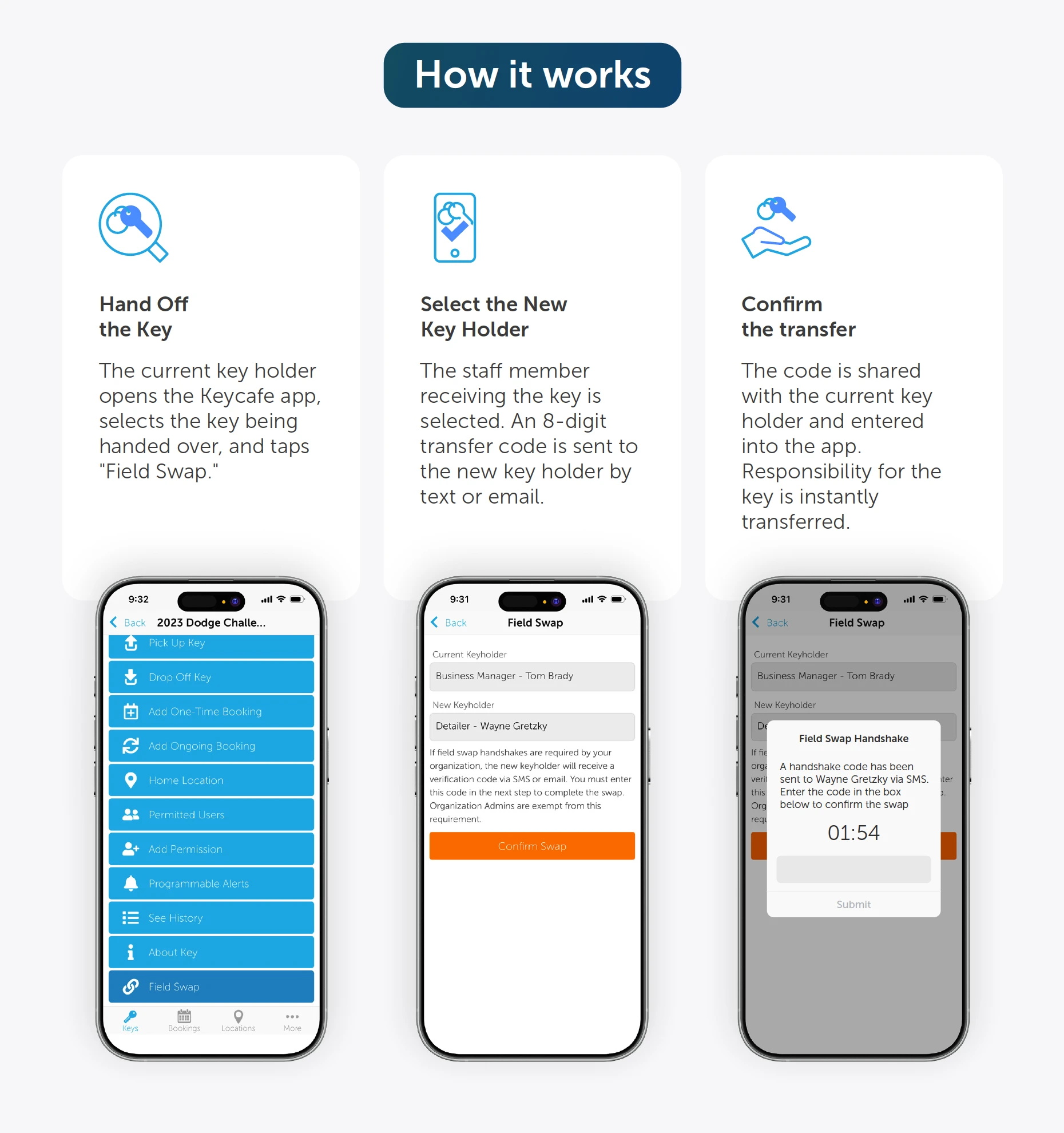
The new Handshake setting for Field Swaps adds a two-way confirmation step when transferring custody of a key between users, without anyone needing to visit a SmartBox.
Here's how it works: when a Field Swap is initiated, a unique code is sent to the new keyholder. To complete the swap, that user must share the code with the current keyholder, who then enters it to confirm the transfer. This ensures both parties are active participants in the handoff, adding an extra layer of security and accountability.
It's a perfect fit for use cases like keys changing hands on a construction job site, transfers between departments at a dealership, or any scenario where you need verifiable proof that a handoff actually happened.
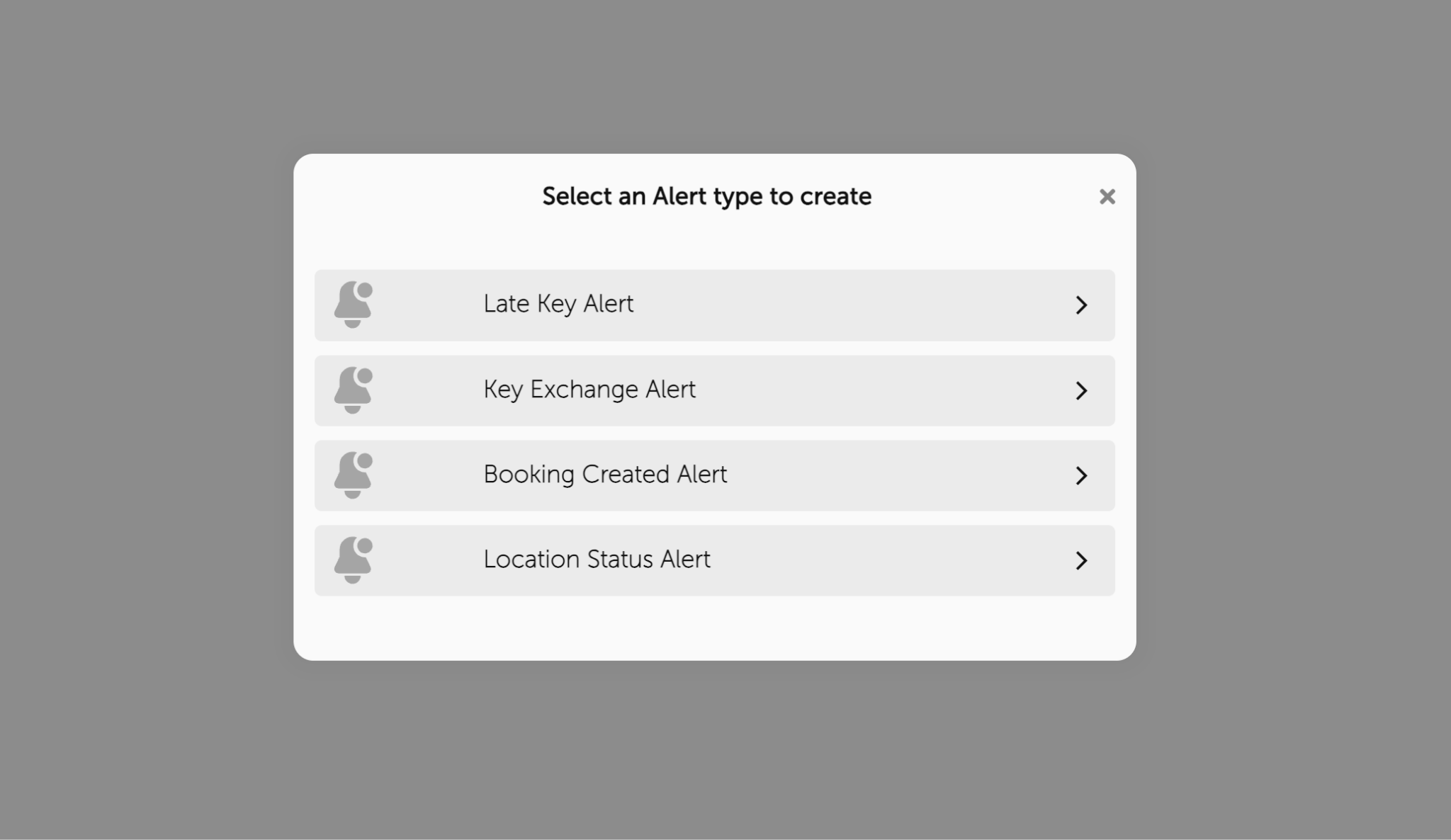
Stay ahead of disruptions with a new programmable alert type that notifies you when a SmartBox location loses internet connectivity or loses power. Each can be configured independently, and you can choose to be alerted immediately or after a delay of your choice to avoid noise from brief outages.
Keep in mind that even during outages, your SmartBox continues running on its backup battery and offline mode, so you're never left in the dark.
For organizations managing multiple SmartBox locations, you can now insert a Location Name variable into the body of your Key Exchange Alert messages. The alert will automatically populate with the name of the location where the key was picked up or dropped off — giving recipients instant context without any extra clicks.
Add Location Name to your Key Exchange Alerts.
Previously exclusive to Premium and Business Pro users, Programmable Alerts are now available on the Lite plan. Lite organizations can create up to 3 Programmable Alerts, with access to all alert types. Premium and Business Pro users continue to enjoy unlimited programmable alerts.
Create your first Programmable Alerts.
A small but convenient improvement for our global community. When creating a one-time booking, the default language for user communication is now automatically set to the booking creator's account language. No more selecting your language on every single booking when your entire account is already configured in it.
You can still manually edit the language on a per-booking basis whenever needed.